
TL;DR
Hotels should replace paper DNR notes and unmanaged spreadsheets with controlled records tied to verified guest identity, incident history, permissions, and front desk alerts. The strongest workflow combines ID scanning, PMS transfer, chargeback documentation, and property-level or network-wide Do-Not-Rent controls.
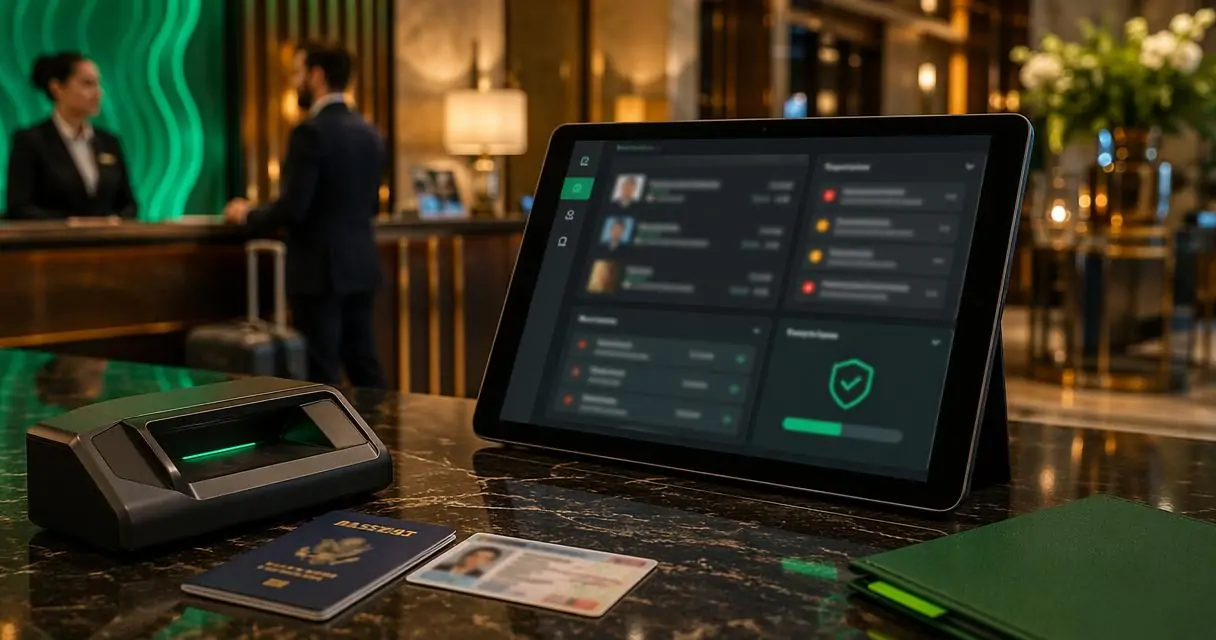
A DNR decision only protects a hotel when the front desk can identify the guest before keys are issued. Hotel do not rent list software gives operators a controlled way to record incidents, match guests during check-in, alert staff instantly, and keep sensitive records out of desk drawers and informal spreadsheets. GuestBan ID Scanning is built around that hotel workflow, combining ID capture, guest verification, PMS transfer, and Do-Not-Rent management for single properties and multi-property groups.
Table of Contents
What is hotel do not rent list software?
Hotel do not rent list software is a secure system hotels use to record guests who should not be rented to again, usually because of safety, fraud, property damage, chargebacks, policy violations, or serious operational risk. The software connects those records to identity data, incident notes, staff permissions, and check-in alerts.
Do-Not-Rent list: A hotel-controlled record of individuals who are not eligible to book or stay at a property, subject to hotel policy, applicable law, and careful documentation.
A modern DNR system is not just a blacklist. It is a decision-support record that helps staff confirm identity, review prior incidents, and follow a consistent approval path.
Key insight: A DNR list is only useful when it is accurate, searchable, permission-controlled, and visible at the exact moment a reservation or walk-in check-in is being handled.
Why hotels need controlled DNR workflows in 2026
Hotels need controlled DNR workflows because guest risk now moves faster than paper notes, shift handoffs, and PMS comment fields. A risky guest can book through an OTA, arrive after a staffing change, use a slightly different name, or dispute a charge weeks later.
Front desk teams also need clarity. A vague note saying "do not rent" can create confusion, while a structured record with date, reason, manager approval, ID details, and supporting documents gives staff a safer process.
Research on operational resilience offers a useful lens. A 2021 Nature Medicine study on health systems resilience during COVID-19 examined how systems performed under pressure; hotels face a different field, but the same lesson applies: documented processes matter when teams must act quickly.
Core reasons hotels add guests to DNR lists
- Safety incidents: Threats, violence, harassment, or police involvement.
- Property damage: Room damage, smoking violations, theft, or tampering.
- Payment risk: Chargebacks, unpaid balances, fraudulent cards, or repeated declines.
- Policy violations: Unauthorized parties, noise issues, pet violations, or occupancy abuse.
- Identity concerns: Mismatched identification, suspicious documents, or repeat alias use.
- Brand protection: Prior behavior that disrupted staff, guests, or operations.
DNR decisions should be based on documented conduct, not assumptions. Hotels also need a process for manager review, record retention, and correction when a record is incomplete or outdated.
How should a hotel move from spreadsheets to DNR software?
A hotel should move from spreadsheets to DNR software by mapping the current process, cleaning existing records, setting access rules, connecting check-in identity capture, and training staff on alerts. The goal is not only digitization; the goal is safer decisions supported by consistent evidence.
Migration checklist for property managers
- Collect existing records: Gather notebooks, PMS comments, spreadsheets, email threads, and incident forms.
- Remove weak entries: Delete records with no name, no date, no reason, or no manager approval unless they can be verified.
- Standardize categories: Use clear reasons such as chargeback, damage, safety, unpaid balance, or policy violation.
- Attach evidence: Link scanned IDs, registration cards, incident reports, photos, folios, and police report numbers where appropriate.
- Set permission levels: Limit who can create, edit, approve, export, or remove DNR records.
- Activate front desk alerts: Make the DNR match visible during ID scan, reservation lookup, or check-in.
- Audit monthly: Review additions, removals, false matches, and unresolved incidents.
For hotels still comparing manual entry and scanning, the related guide on ID scanners versus manual ID entry for hotel check-in explains how ID capture changes front desk speed, record quality, and chargeback support.
Migration rule: No legacy DNR record should be imported without a reason, date, source, and approval status.
What features matter most in DNR management software?
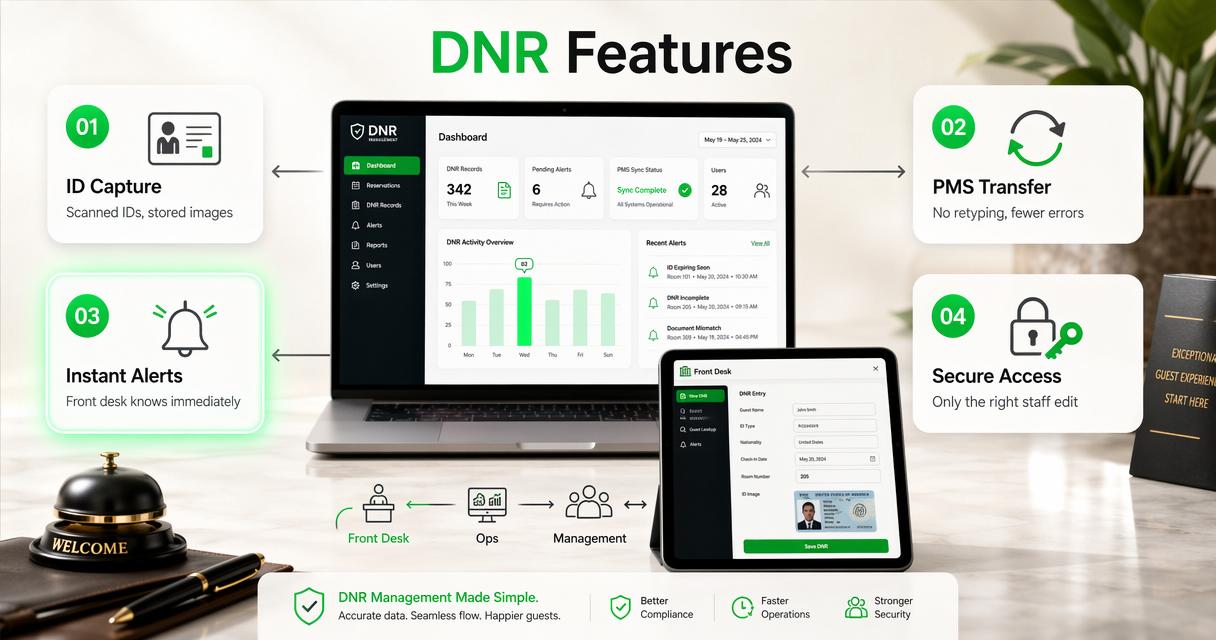
The most important DNR software features are verified identity capture, role-based access, incident documentation, PMS connection, instant alerts, secure storage, and reporting. These features turn a risky memory-based process into an auditable workflow that front desk, operations, and management teams can trust.
Feature comparison for hotel operators
| Capability | Why it matters | Weak manual approach | Strong software approach |
|---|---|---|---|
| ID capture | Confirms the person behind the reservation | Typed name only | Scanned ID data and stored document image |
| PMS transfer | Reduces retyping and missed details | Copy-paste or manual entry | Captured fields sent into PMS workflow |
| DNR alerts | Warns staff before room assignment | Staff must remember to search | Alert appears during check-in |
| Role-based access | Protects sensitive records | Shared spreadsheet password | User-specific permissions |
| Incident reports | Supports decisions and disputes | Loose notes or email chains | Structured record with attachments |
| Network sharing | Helps groups manage repeat risk | Property-only memory | Property-level and group-level controls |
| Audit history | Shows who changed a record | No change trail | Timestamped user activity |
| Security controls | Limits data exposure | Local files and printouts | Web access with controlled storage |
Hotels evaluating ID capture and DNR workflows can also review the broader hotel ID scanning software buyer guide for passport capture, audit trails, storage, alerts, and PMS workflow considerations.
The right system should fit hotel operations, not force staff into a law-enforcement style process. Front desk agents need simple alerts; managers need evidence; ownership needs reporting; risk teams need consistency.
How GuestBan ID Scanning handles DNR records
The GuestBan ID Scanning platform handles DNR records by tying guest identity capture to property-level and network-wide alerting, incident documentation, PMS data transfer, and secure web access. That combination helps hotels identify a guest, understand the prior issue, and act before a room is rented.
GuestBan ID Scanning supports driver licenses, passports, passport cards, visas, green cards, Puerto Rico IDs, select Mexico ID cards, and select international ID cards. Captured details can support front desk verification and PMS transfer, reducing manual entry during check-in.
GuestBan workflow at check-in
- Scan the guest ID: The front desk captures identity details from a supported document.
- Check for DNR matches: The system compares the guest record against property and network lists.
- Display an alert: Staff receive a prompt before completing the rental.
- Review the incident: Authorized users can view the reason, notes, and supporting records.
- Document the decision: Managers can update the guest record, incident report, or DNR status.
The platform also supports chargeback documentation, including scanned ID records, stored ID images, guest details, printable reports, and incident reports. For groups managing scanners and related equipment, GuestBan's scanner shop provides a natural starting point for hardware planning.
Visit guestban.com when a hotel team needs a single workflow for ID scanning, guest records, and DNR alerts rather than disconnected tools.
Property-level versus network-wide DNR lists
Property-level DNR lists help one hotel manage local incidents, while network-wide lists help a group recognize repeat risk across multiple properties. The right structure depends on ownership model, brand standards, legal review, and how much authority each general manager retains.
A single-property independent hotel usually needs a tight local process with manager approval. A hospitality group needs shared rules, especially when the same guest may move between sister properties after a serious incident.
Decision table for DNR scope
| DNR scope | Best fit | Main benefit | Governance need |
|---|---|---|---|
| Property-only | Independent hotels and local incidents | Keeps decisions close to the property | GM approval and periodic review |
| Regional list | Groups with clustered hotels | Flags repeat issues across nearby properties | Regional manager oversight |
| Brand or ownership list | Multi-property operators | Creates consistent risk visibility | Formal policy, access controls, appeal path |
| Temporary watch status | Unresolved disputes or pending review | Reduces premature permanent bans | Expiration dates and manager review |
Network-wide lists should not become unmanaged rumor files. Each record needs a documented event, clear status, and approved sharing rules. Sensitive data should be available only to roles that need it for check-in, operations, chargeback response, or security review.
Machine learning research by Iqbal H. Sarker in SN Computer Science discusses real-world applications and research directions for algorithms. Hotels may see more automated risk signals over time, but DNR decisions still require human policy, documentation, and review.
What should hotels avoid when managing DNR lists?
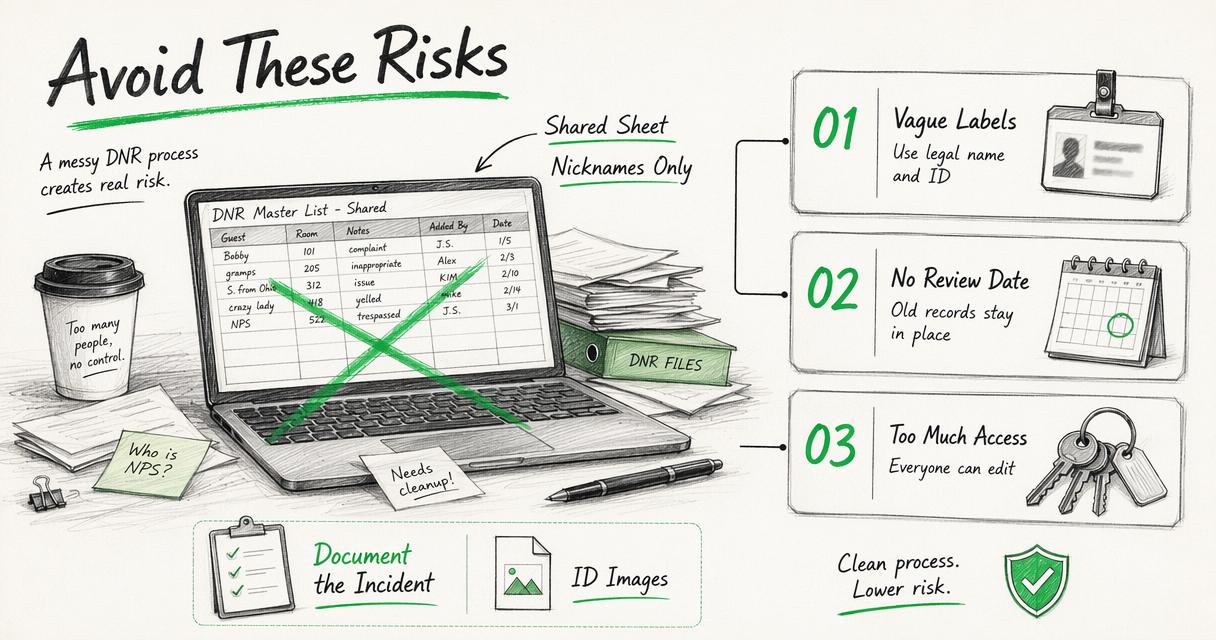
Hotels should avoid unmanaged spreadsheets, vague labels, excessive staff access, permanent records with no review date, and DNR decisions unsupported by documented incidents. Poor recordkeeping can create operational confusion, privacy exposure, and inconsistent guest treatment.
Common DNR mistakes to prevent
- Using nicknames only: Legal name, ID details, and reservation history reduce misidentification.
- Skipping the incident reason: A DNR entry without a reason is hard to defend internally.
- Letting everyone edit records: Too much access increases errors and data exposure.
- Ignoring privacy rules: ID images and guest records require security controls and retention policies.
- Failing to review old entries: Some records should expire, change status, or receive manager reapproval.
- Relying only on PMS notes: Notes may be missed, overwritten, or unavailable across properties.
Privacy laws vary by jurisdiction, and hotels should consult counsel when storing scanned IDs, sharing records, or creating group-level guest restrictions. GuestBan's resource on hotel CCPA compliance is useful for California-focused privacy planning, while state-level ID scanning rules require separate review.
Risk control principle: A DNR entry should be treated as a sensitive operational record, not a casual front desk comment.
How should DNR software fit PMS integration and daily operations?
DNR software should fit the check-in path, not sit outside it. The strongest setup captures ID data, checks the DNR list, transfers approved guest details to the PMS, and stores incident records for later review, all without forcing staff to search several screens.
Practical PMS integration workflow
- Reservation appears in the PMS: Staff begin the normal arrival process.
- Guest ID is scanned: Identity data is captured from a supported document.
- Software checks records: The system searches local and shared DNR lists.
- Approved data transfers: Clean guest details reduce typing and spelling errors.
- Alerts route to staff: DNR matches, screening flags, or review prompts appear before key creation.
- Reports stay accessible: Management can pull records for disputes, chargebacks, and audits.
The workflow should also cover after-hours arrivals, walk-ins, OTA reservations, and name variations. Hotels with high turnover should keep the front desk process simple enough for a new agent to follow after short training.
For legal planning around document capture, the hotel ID scanning laws guide gives operators a starting point for state-by-state review. Legal requirements can change, so hotel counsel should confirm current obligations before policy rollout.
What to expect from DNR software in 2027
DNR software in 2027 will likely become more connected, more permission-aware, and more focused on explainable alerts. Hotels will expect fewer manual searches, better PMS handoffs, stronger privacy controls, and clearer reporting for disputes, chargebacks, and safety incidents.
Screening and guest verification tools may also become more privacy-preserving. A 2022 survey on federated learning challenges and applications examined methods that keep data distributed while training models. That research is not hotel-specific, but it points toward a future where risk tools may improve without unnecessary data movement.
Likely 2027 capabilities
- More precise identity matching: Better handling of name variations, document types, and repeat aliases.
- Explainable alerts: Staff see why a match appeared, not just a warning label.
- Cleaner multi-property governance: Ownership groups manage shared policies with stronger approval paths.
- Retention automation: Old records can route for review, expiration, or reapproval.
- Stronger reporting: Chargeback packets, incident summaries, and audit logs become easier to export.
Hotels should treat automation as a guardrail, not a replacement for management judgment. The best systems will make review faster while keeping final decisions tied to documented facts and policy.
FAQ about hotel DNR list software
Can a hotel keep a Do-Not-Rent list?
Hotels commonly maintain Do-Not-Rent lists as part of safety, payment, and property protection policies. The list should be based on documented conduct, applied consistently, and reviewed under applicable law. Sensitive records, especially scanned IDs and incident reports, should be protected through access controls, retention rules, and management oversight.
Should DNR records be stored inside the PMS only?
PMS notes may help, but they are often not enough for controlled DNR management. A dedicated workflow can connect identity capture, incident records, alerts, permissions, and reporting in one process. PMS integration still matters because the front desk should not have to retype guest details or search separate systems.
Who should have permission to edit a DNR list?
Editing permission should usually be limited to general managers, operations leaders, security managers, or approved risk staff. Front desk agents may need view-only alert access during check-in, but unrestricted editing can create inconsistent records. A strong system logs user activity and separates creation, approval, removal, and export rights.
How long should a guest remain on a DNR list?
Retention depends on hotel policy, incident severity, brand standards, and local legal requirements. Serious safety events may justify longer retention than a minor policy issue. Each record should include a creation date, reason, approval status, and review date so old or weak entries do not remain active without oversight.
Conclusion
The strongest DNR process connects verified identity, documented incidents, permission controls, PMS workflow, and instant front desk alerts. Hotels replacing binders, sticky notes, and spreadsheets should start by cleaning existing records, defining approval rules, and choosing hotel do not rent list software that fits daily check-in operations. GuestBan ID Scanning gives hotel teams a purpose-built path for ID capture, DNR alerts, chargeback documentation, and multi-property visibility. For a closer product review or implementation planning, head to guestban.com and map the first 30 days around record cleanup, permission setup, scanner deployment, and front desk training.