
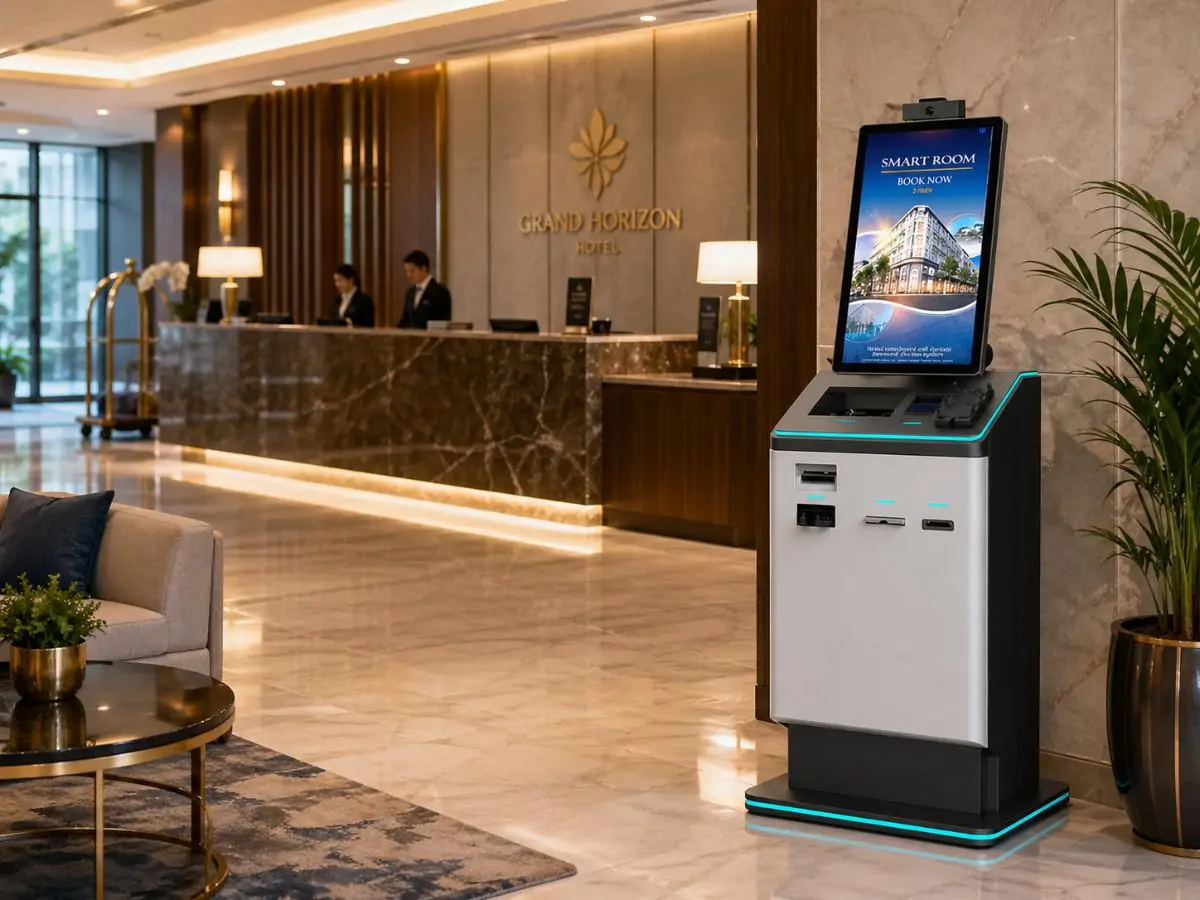
Self‑service check‑in kiosks are spreading quickly across hotels, but they come with a challenge: how do you stop banned or problematic guests from checking in without a human at the desk? The new Guest Ban capability in Kiotel kiosk front desk check‑in addresses exactly that problem. By automatically screening guests during the check‑in process, hotels can prevent previously flagged individuals from accessing rooms while still offering a fast, contactless experience. Platforms like Innstrata Hospitality are helping independent and boutique hotels add this type of protection to modern kiosk check‑in systems without increasing staffing costs.
Why Guest Screening Matters in Modern Hotel Self Check‑In
The role of a hotel front desk receptionist has traditionally included verifying guest identity, collecting payment, and handling security concerns. According to Wikipedia, a receptionist is an administrative professional responsible for greeting visitors and managing access in an organization’s entry area (source). In hotels, that access control role is critical.
Self‑service kiosks remove much of that human oversight. Guests scan an ID, confirm their reservation, and receive a key card within minutes. While convenient, the process introduces a risk: individuals who have previously caused damage, fraud, or safety issues could potentially check themselves in without staff noticing.
Guest Ban technology helps close that gap. It allows a hotel’s system to automatically compare guest information against a list of banned individuals before completing the check‑in process.
Common Issues Hotels Face Without Guest Screening
Without automated screening, hotels often encounter several operational problems:
- Repeat problem guests returning after being previously removed from the property
- Chargeback fraud, where a guest disputes legitimate charges
- Property damage or disturbances from guests with prior incidents
- Safety risks involving individuals previously reported to authorities
Some incidents become serious enough to involve law enforcement. For example, the case described in this report on a hotel arrest incident over drugs highlights how guest screening and security awareness can become critical for property safety.
Where Guest Ban Fits in the Check‑In Process
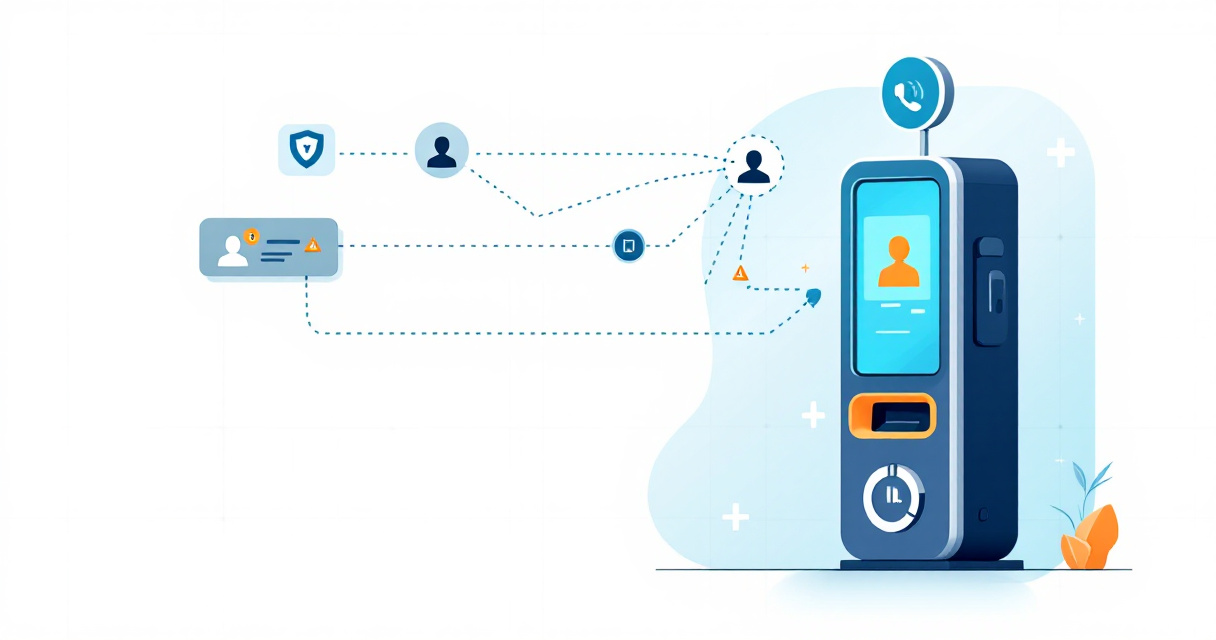
Guest Ban tools operate behind the scenes during the kiosk workflow. The process typically includes:
- Guest scans their ID or enters reservation information.
- The system checks the guest name and ID against a banned guest database.
- If a match appears, the kiosk blocks the check‑in and alerts hotel staff.
- Staff can review the record before allowing or denying the stay.
“Safety and security are the first responsibilities of a hotel.”, American Hotel & Lodging Association, AHLA Safety Resources
Automating this screening ensures that even unmanned front desks maintain the same level of control that traditional operations provide.
 How Guest Ban Works in the Kiotel Kiosk Front Desk System
 How Guest Ban Works in the Kiotel Kiosk Front Desk System
The Kiotel kiosk check‑in system integrates guest verification and ban management directly into the self‑service workflow. Instead of relying on manual checks by front desk staff, the system performs automated validation before issuing a room key.
Hotels using the Guest Ban platform can synchronize guest ban lists across multiple tools, including kiosks, PMS integrations, and ID verification systems.
Step‑by‑Step Flow of the Guest Ban Check
When a guest approaches a Kiotel kiosk, the check‑in process follows a structured path designed to prevent unauthorized access.
- Reservation verification through confirmation number or name lookup
- Government ID scan for identity verification
- Database comparison against the property’s banned guest list
- Automated decision logic that either allows check‑in or blocks the process
- Staff notification if a flagged guest attempts to check in
Guest Ban vs Traditional Do‑Not‑Rent Lists
Hotels have used Do‑Not‑Rent (DNR) lists for years, but those lists often exist only at the front desk or in spreadsheets. Kiosk systems require a digital version that updates automatically.
For hotels managing multiple properties, maintaining a consistent system is essential. This guide on how multi‑property hotels manage DNR lists explains how centralized guest ban management prevents banned guests from simply moving to another location within the same brand.
Key Capabilities of a Modern Guest Ban System
| Feature | How It Works | Operational Benefit |
|---|---|---|
| Automated ID verification | Scans passport or driver’s license | Reduces manual data entry |
| Real‑time ban matching | Compares guest data against a database | Stops banned guests instantly |
| Staff alerts | Sends notification if a match occurs | Allows manual review |
| Multi‑property syncing | Shares ban data across locations | Prevents location hopping |
| Audit logs | Records every blocked attempt | Improves accountability |
These capabilities help hotels maintain security while still benefiting from the efficiency of kiosk check‑in.
How ID Scanning Strengthens Guest Ban Accuracy
Guest Ban systems rely heavily on identity verification. If a guest enters a slightly different name spelling, a simple text‑based list might miss the match.
ID scanning improves accuracy by capturing structured identity data directly from official documents. Hotels exploring this approach often start with dedicated hardware or software. A detailed overview can be found in this guide on the best ID scanner for hotel front desk operations.
With accurate ID data, the kiosk system can detect matches even when guests attempt minor changes to their information.
Operational Benefits for Independent and Boutique Hotels
Large hotel brands have invested heavily in security technology for years. Independent hotels and small regional groups often operate with smaller teams, which makes automation even more valuable.
Guest Ban functionality within kiosk check‑in delivers several operational advantages for these properties.
Reduced Front Desk Workload
Automated screening removes the need for staff to manually check guest records during every arrival. This is especially useful during late‑night hours when staffing is limited.
Instead of reviewing guest history manually, the system flags only the cases that require attention.
Better Protection Against Fraud and Chargebacks
Chargebacks are a growing concern for hotels, particularly with online bookings and contactless check‑in. Preventing repeat offenders from staying at the property can reduce financial risk.
Hotels addressing payment disputes often combine guest screening with other protections such as fraud monitoring. Resources like this guide on preventing hotel chargebacks explain why identifying repeat offenders early is so valuable.
Improved Guest Experience for Legitimate Travelers
Security improvements do not have to slow down check‑in. In fact, kiosks often make the process faster.
Guests who are verified automatically can complete check‑in in under a minute, receive their key card, and head directly to their room.
Operational Impact at a Glance
| Area | Without Guest Ban | With Guest Ban |
|---|---|---|
| Guest screening | Manual review | Automated during check‑in |
| Staff workload | Higher during arrivals | Reduced significantly |
| Fraud prevention | Limited visibility | Identifies repeat offenders |
| Safety monitoring | Reactive | Proactive |
Hotels implementing kiosk technology often find that automation improves both security and efficiency, which historically required separate systems.
Common Concerns About Kiosk Check‑In and Security
Despite the operational advantages, kiosk‑based check‑in sometimes raises concerns among hotel owners and guests. A viral video showing a hotel using only a tablet for check‑in sparked debate about safety and oversight.
The issue was not the technology itself but the lack of safeguards. Systems without identity verification, guest screening, or staff alerts can create vulnerabilities.
Key Security Questions Hotels Should Ask
Before deploying a kiosk system, operators should evaluate the following factors:
- Does the kiosk require government ID verification?
- Can it cross‑reference a guest ban list automatically?
- Does it alert staff when a suspicious attempt occurs?
- Is there remote monitoring capability?
When these elements are missing, kiosk check‑in becomes risky. When they are present, it becomes a controlled entry point similar to a staffed desk.
The Human Element Still Matters
Automation does not eliminate the need for staff. Instead, it changes where their time is spent.
Front desk teams can focus more on guest service, property oversight, and revenue activities instead of repetitive check‑in tasks.
“Technology should make hospitality more human, not less.”, Chip Conley, former Head of Global Hospitality and Strategy at Airbnb, Airbnb News
For many hotels, the goal is not replacing the front desk entirely but supporting it with automation that works around the clock.
What the Future of Automated Hotel Check‑In Looks Like
Kiosk technology continues to evolve quickly. What began as a simple check‑in machine is turning into a full identity and security platform for hotels.
Guest Ban functionality represents one step in that shift.
Technology Trends Shaping Hotel Check‑In
1. Integrated Identity Verification
Future kiosks will combine ID scanning, facial verification, and fraud detection in a single workflow. This allows hotels to confirm that the person checking in matches the identity used during booking.
2. Shared Security Networks Across Hotels
Some platforms are exploring shared security networks where properties can flag serious incidents. Similar to how fraud detection works in financial services, this would help hotels identify repeat offenders across multiple brands.
3. Fully Connected Property Systems
Kiosks are increasingly connected with PMS platforms, payment systems, and security databases. When integrated properly, a single guest action triggers multiple background checks automatically.
This type of integration is already part of the broader Innstrata Hospitality technology stack, which connects operational tools used by independent hotels.
Operators interested in deeper insights into hotel technology trends can explore the broader resource library on the Innstrata blog.
Why Early Adoption Matters
Hotels adopting these tools early gain several advantages:
- Better protection against repeat incidents
- Lower staffing pressure during peak arrival times
- Faster guest check‑in experiences
- Stronger operational visibility
Waiting too long to modernize check‑in systems often leaves properties dealing with manual processes that competitors have already automated.
Conclusion
Guest Ban functionality within Kiotel kiosk front desk check‑in addresses one of the biggest concerns about automated hotel arrivals: security. By screening guests against a banned list during the check‑in process, hotels can stop repeat offenders while still delivering a fast, self‑service experience.
For independent and boutique properties, this type of automation is becoming essential. It protects staff, reduces operational friction, and improves consistency across multiple locations.
Solutions from Guest Ban combine guest ban management, ID verification, and operational tools designed specifically for hotel owners and operators. If your property is considering kiosk check‑in or wants stronger protection against problematic guests, explore how the platform works or request a product demo to see it in action.