
TL;DR
TL;DR: Hotels comparing Minor Decliner alternatives should look beyond age checks and evaluate full guest risk workflows: ID capture, staff prompts, incident notes, DNR records, and audit trails. Age-focused scanners fit bars, pools, and access control; broader hotel verification tools fit front desk, extended stay, and multi-property operations.
Minor Decliner alternatives for hotels matter because most hotel ID issues don't stop at "is this guest underage?" Front desk teams also need to confirm identity, document incidents, flag do-not-rent guests, and keep consistent records across shifts. For hotels that want a hospitality-first workflow, GuestBan ID Scanning is worth comparing early because it is built around guest verification and hotel risk control, not just access screening.
Hotel ID scanning software: a system that captures identity document data, helps staff verify the guest, and stores check-in evidence according to the property's operating and privacy policies.
Table of Contents
What are Minor Decliner alternatives for hotels?
Minor Decliner alternatives for hotels are ID scanning and guest verification tools that can replace or supplement an age-verification workflow at check-in, amenity access, or restricted areas. The best option depends on whether your hotel needs simple pass/fail age checks or a broader risk process covering ID capture, notes, alerts, DNR records, and audits.
Minor Decliner's public positioning centers on fast ID scanning, age verification, access control, and reading 2D PDF417 barcodes on U.S. state-issued IDs. That can be a strong fit for environments where the main question is, "Can this person enter or buy?"
Hotels usually ask a wider question: "Should we rent to this guest, and can we prove what happened later?" That shift changes the buying criteria.
"Security is a process, not a product.", Bruce Schneier, Schneier on Security
For hotel operators, I'd treat the scanner as one part of the process. The stronger comparison is workflow against workflow: what the staff sees, what gets recorded, what alerts appear, and what managers can review after a dispute.
When is age verification enough, and when do hotels need guest risk control?
Age verification is enough when the hotel only needs to confirm eligibility for a restricted space or service; guest risk control is better when the front desk must document identity, prevent repeat problems, and keep property-wide records. The difference matters most at check-in, late-night desk coverage, and extended-stay operations.

Decision table for hotel teams
| Hotel scenario | Age-focused scanner may fit | Broader guest verification is better |
|---|---|---|
| Bar, lounge, pool, or club access | Yes | Sometimes |
| Basic underage screening at events | Yes | Sometimes |
| Front desk check-in | Limited | Yes |
| Extended-stay guest screening | No | Yes |
| Chargeback and identity dispute support | Limited | Yes |
| Do-not-rent tracking across shifts | No | Yes |
| Multi-property incident visibility | No | Yes |
A boutique hotel with a rooftop bar may still need an age-focused tool at the elevator or host stand. A roadside property, extended-stay hotel, casino-adjacent hotel, or multi-property group usually needs more than a green or red scan result.
I'd separate the buying decision into three workflows:
- Access workflow: confirm age or eligibility for a space.
- Check-in workflow: verify guest identity and attach proof to the stay.
- Risk workflow: capture notes, alerts, DNR status, and manager review history.
If your team already struggles with repeat nuisance guests or inconsistent shift notes, a simple age screen won't fix the operational gap. For a deeper front desk fraud perspective, see this guide to hotel fraud prevention tools for front desk teams.
Which alternatives fit hotel ID and risk workflows in 2026?
The best Minor Decliner alternative depends on the hotel's risk profile: choose hospitality-specific guest verification for front desk decisions, age-verification scanners for restricted access, and PMS-connected automation when ID capture must flow into check-in operations. Don't compare only hardware price; compare what happens after the scan.
Alternative comparison for hotel operators
| Option | Best fit | Strength | Watchpoint |
|---|---|---|---|
| GuestBan ID Scanning | Hotels needing guest verification, DNR handling, and staff prompts | Built for hospitality risk workflows and front desk decision support | Best when the property wants a structured operating process |
| Minor Decliner | Age checks and access control | Fast pass/fail screening and ID barcode reading | Less focused on hotel-specific incident history |
| IDScan.net-style platforms | General identity verification needs | Broad ID scanning category coverage | Hotel workflow depth varies by configuration |
| PMS or kiosk add-ons | Automated check-in paths | Can reduce manual typing and speed arrival | Risk notes may be secondary to check-in flow |
| Manual ID copy or visual inspection | Very small properties with low volume | Low software cost | Inconsistent, slow, and hard to audit |
The GuestBan ID Scanning platform fits properties that want the scan to trigger a front desk decision, not just an age result. Staff can work from prompts, managers can review records, and risk teams can standardize how guest issues are documented.
Minor Decliner remains a sensible option when the operational goal is access control. For a direct feature-by-feature discussion, compare Minor Decliner vs Guest Ban before you shortlist tools.
IDScan.net and similar vendors may appeal to teams that want broad ID scanning capabilities. If that category is on your list, this hotel-focused guide to IDScan.net alternatives can help you pressure-test workflow fit.
How should hotels evaluate an ID scanning replacement?
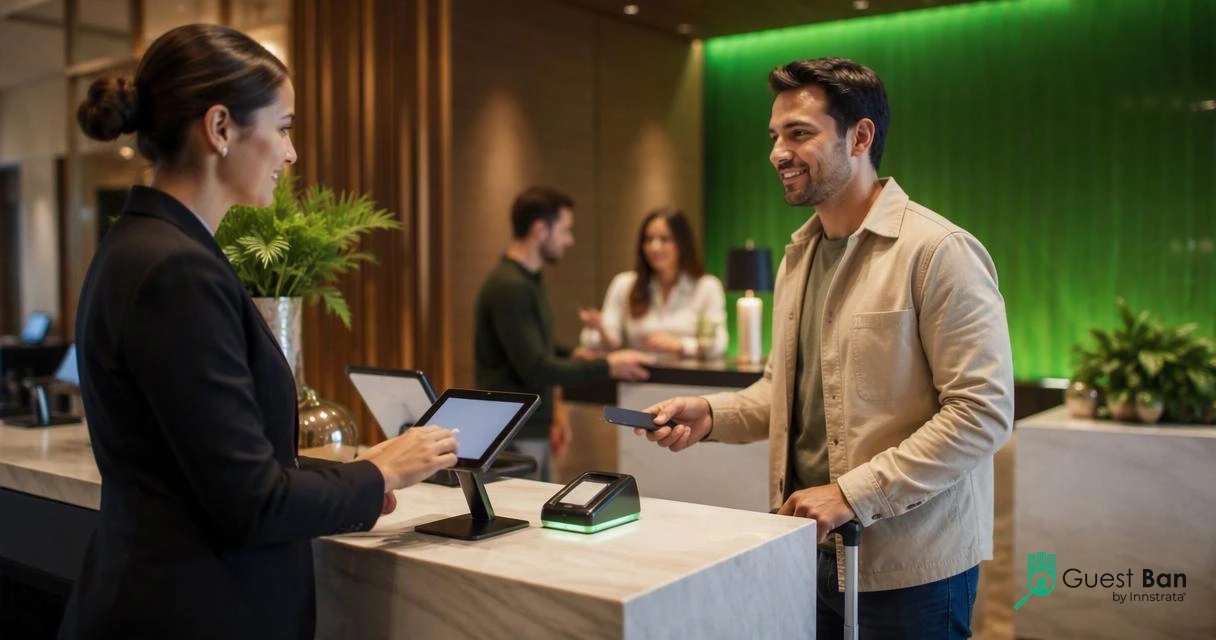
Hotels should evaluate an ID scanning replacement by testing the complete guest path: document capture, PMS workflow, staff prompts, exception handling, privacy controls, and manager reporting. A good demo should show what happens during a normal check-in and during a difficult one.
Use this practical sequence before signing a contract:
- Map the risk event. Pick real scenarios: expired ID, mismatched name, prior DNR guest, chargeback claim, or disruptive stay.
- Scan during a mock check-in. Watch how many clicks the desk agent needs.
- Review the staff prompt. Confirm whether the system tells the agent what to do next.
- Check audit history. Make sure managers can see who scanned, when, and what was recorded.
- Test data controls. Ask how ID data is stored, retained, accessed, and deleted.
- Confirm PMS fit. Decide whether you need direct PMS integration or a parallel risk record.
- Train two shifts. A tool that only works for the manager won't survive Friday night.
"Digital identity is the unique representation of a subject engaged in an online transaction.", National Institute of Standards and Technology, Digital Identity Guidelines
That NIST definition is digital, but the same principle applies at the desk: the hotel needs a reliable representation of who the guest is and what decision the property made.
Avoid buying only on scanner speed. Speed helps, but weak documentation hurts when a guest disputes a charge, a shift changes, or a regional manager asks why a banned guest was rented to again. If refusal scenarios are a concern, review whether a guest can refuse hotel ID scanning and align your policy before rollout.
FAQ: Minor Decliner alternatives and hotel ID scanning
What is the main difference between Minor Decliner and hotel guest verification software?
Minor Decliner is mainly positioned around age verification, ID barcode reading, and access control. Hotel guest verification software is broader: it supports identity capture, check-in decisions, staff prompts, DNR handling, incident notes, and audit trails. Hotels with higher dispute or nuisance-guest risk usually need the broader workflow.
Do hotels need PMS integration for ID scanning?
PMS integration is helpful when your goal is faster check-in or automated guest data capture. It is not the only requirement for risk control. Some hotels prefer a dedicated risk record beside the PMS so front desk teams can document alerts, incidents, and DNR decisions without cluttering reservation notes.
Is an age-verification scanner enough for extended-stay hotels?
Usually no. Extended-stay hotels face repeat-guest issues, longer exposure windows, payment disputes, and higher need for consistent documentation. Age verification may help in restricted areas, but the front desk needs guest history, notes, alerts, and manager review. GuestBan ID Scanning is designed for that broader hotel use case.
How should a hotel start comparing vendors?
Start with three live workflows: a clean check-in, a questionable ID, and a known problem guest. Ask each vendor to show the exact screen sequence, what the agent sees, what gets saved, and what managers can audit later. Then compare training effort, data retention settings, and reporting.
Conclusion
Minor Decliner alternatives for hotels should be judged by the decision they help your team make. If you only need age access checks, an age-focused scanner may be enough. If you need front desk identity capture, DNR visibility, incident documentation, and audit-ready records, choose a hotel-first verification workflow.
For a practical next step, list your top five risk scenarios, run them through each vendor demo, and score the result from the desk agent's point of view. If you want to see how GuestBan ID Scanning supports that process, visit guestban.com and request a workflow-focused walkthrough.

