
TL;DR
Hotel ID verification software should do more than store an image of a license or passport. Independent hotels should evaluate document checks, data matching, PMS workflow fit, privacy controls, and fraud signals before buying.
Table of Contents
What is hotel ID verification software?
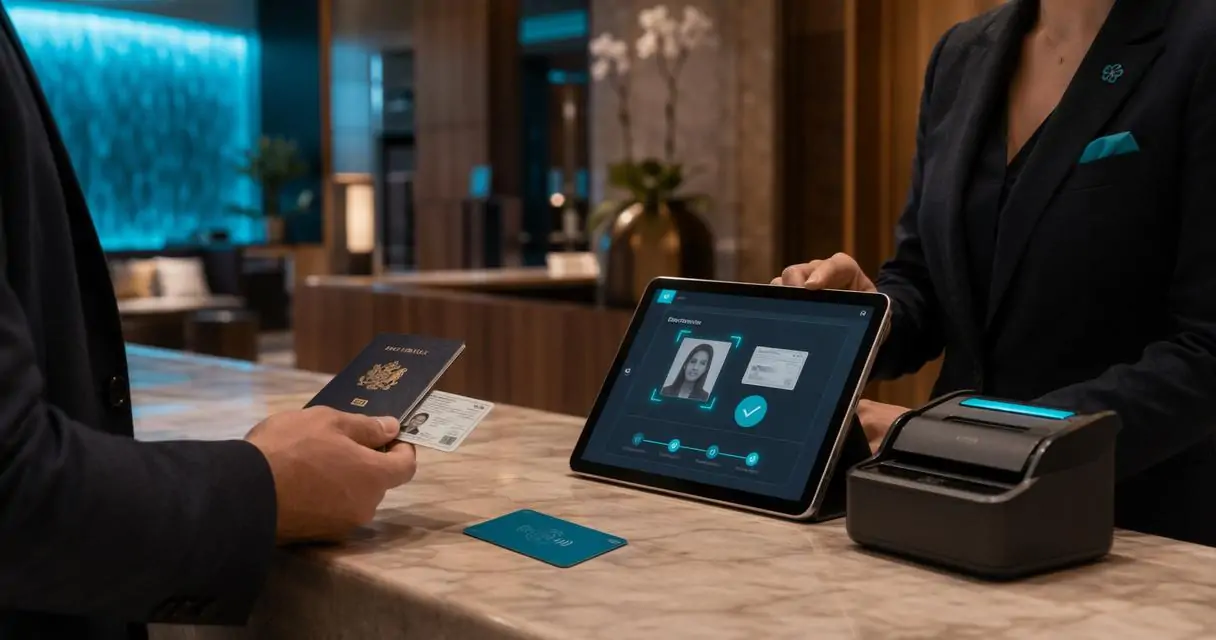
Hotel ID verification software is technology that checks a guest identity document, extracts key fields, transfer those fields to the reservation, and stores verification evidence according to hotel policy. It differs from simple ID capture because it evaluates authenticity, match quality, and operational risk. Hotel ID verification: A check-in process that confirms a guest-provided identity document is valid, belongs to the arriving guest, and matches the booking record. Simple ID capture creates a digital copy. Verification adds judgment. That judgment may include optical character recognition, barcode reading, document template checks, face match review, age calculation, and mismatch alerts, Do Not Rent checks.“Digital identity is the unique representation of a subject engaged in an online transaction.”, National Institute of Standards and Technology, NIST SP 800-63-3Hotels use identity checks for more than compliance. The same workflow can support fraud prevention, chargeback response, guest screening, age-restricted sales, and incident documentation. Related risk controls are covered in Innstrata’s guide to hotel fraud prevention tools.
Manual ID checks vs photocopying an ID vs hotel ID verification software
| Capability | Manual ID check | Photocopying an ID | Hotel ID verification software |
|---|---|---|---|
| Guest identity review | Front desk agent visually checks the ID and guest information | Creates a paper copy of the ID for records | Checks the ID, extracts guest details, and helps confirm the guest matches the reservation |
| Data entry | Guest details must be typed into the PMS manually | Staff still has to manually enter guest details | Guest details can be captured and transferred into the reservation automatically |
| Accuracy | Depends on how carefully the agent reviews and enters the information | Stores an image, but does not reduce typing mistakes | Reduces manual entry errors by reading fields directly from the ID |
| Authenticity checks | Limited to what the agent can visually notice | No real authenticity review beyond having a copy | Can support barcode reading, document checks, UV review, age alerts, and mismatch alerts |
| Speed at check-in | Can slow down during busy arrival periods | Adds another step to the check-in process | Speeds up check-in by scanning, extracting, and organizing guest information |
| Risk value | Helpful only if the agent catches a problem in the moment | Useful for basic recordkeeping, but limited for prevention | Supports fraud prevention, Do Not Rent checks, chargeback response, and incident documentation |
| Record storage | Often depends on notes, paper files, or PMS entries | Creates physical paper records that must be stored and protected | Stores digital verification evidence based on hotel retention and security policy |
| Operational decision support | Relies heavily on staff judgment | Provides a copy, but no active guidance | Helps staff identify mismatches, underage guests, repeat issues, and policy exceptions |
Which hotel use cases matter most?
The strongest ID verification programs focus on the few moments where identity risk, guest experience, and staff workload overlap.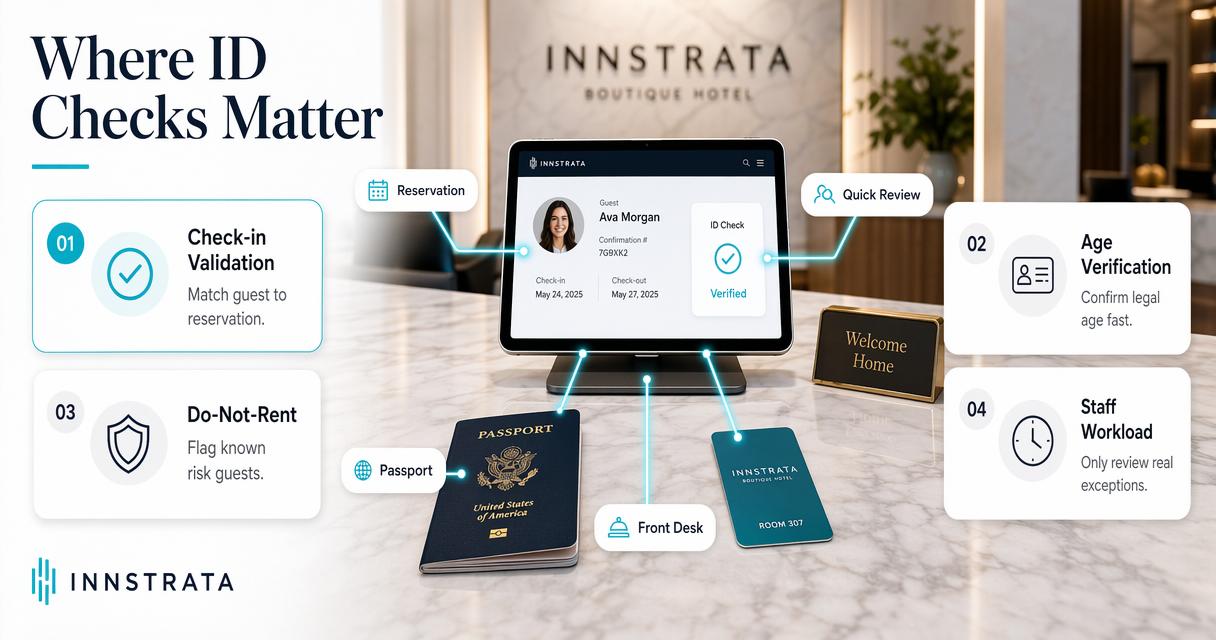 Hotels usually start with check-in speed, then expand into risk controls. Search demand around hotel fraud, guest verification, and do-not-rent workflows shows that operators are looking for practical defenses, not just digital paperwork. Common use cases include:
- Check-in validation: Confirm that the arriving guest matches the reservation holder or authorized occupant.
- Age verification: Support alcohol, cannabis, casino, bar, minibar, or local lodging age rules where applicable.
- Chargeback defense: Preserve timestamped evidence that a verified guest was present.
- Incident support: Attach verified identity context to security or damage reports.
- Portfolio policy control: Apply the same verification rules across multiple properties.
Verification supports revenue protection
Identity checks also connect to revenue strategy. Fraudulent bookings, disputed stays, and policy abuse can distort pickup, cancellation, and net revenue patterns. Small hotels that already track demand using independent hotel room demand forecasting can add verified-arrival data as another signal for cleaner reporting.Key insight: A good ID workflow protects both the front desk and the profit-and-loss statement because it turns a risky arrival into a documented transaction.
How should hotels evaluate ID verification software?
Hotels should evaluate ID verification software by testing document coverage, match logic, speed, privacy controls, PMS fit, reporting, and staff usability before signing a contract.- Ease of use for front desk staff: The system should be simple enough for agents to use during a busy check-in rush without slowing down the guest experience.
- Supported ID types: Confirm that the software supports the actual IDs your hotel sees, including driver’s licenses, state IDs, passports, and foreign documents.
- Extraction accuracy: Test how accurately the system reads names, addresses, dates of birth, document numbers, expiration dates, and other important fields.
- Secure cloud storage: The software should securely retain the guest details, ID images, verification evidence, and related records needed by the hotel.
- Remote access and management: Managers should be able to access and manage guest records, IDs, incidents, and Do Not Rent records from anywhere through a secure cloud portal.
- Access controls: The system should allow hotels to control who can view, edit, export, or manage sensitive guest information.
- Retention policy controls: Hotels should be able to set how long ID records and guest details are stored based on their internal policy and legal requirements.
- Automatic front desk alerts: The software should notify staff when there is an issue such as an underage guest, expired ID, name mismatch, Do Not Rent match, or other risk alert.
- Email alerts for management: Management should receive email alerts for important events, high-risk matches, incidents, or policy exceptions.
- Do Not Rent support: The system should make it easy to add, search, and manage DNR records so repeat problem guests can be identified before check-in is completed.
- Multi-property support: Hotel groups should confirm whether the system can manage multiple properties under one account, share approved DNR data, and provide property-level access control.
- PMS workflow fit: Confirm how the system transfers guest details into the reservation and whether it works with the hotel’s PMS, payment process, and incident reporting workflow.
- Reporting and audit support: The software should provide reports and stored evidence that can help with chargebacks, guest disputes, internal reviews, and audits.
- Check-in speed: Test the full workflow during a real check-in to make sure scanning, verification, alerts, and PMS updates happen quickly.
Buyer checklist for front desk reality
| Evaluation area | What to ask | Why it matters |
|---|---|---|
| Front desk usability | Can a new front desk agent learn the system quickly and use it during a busy check-in rush? | If the workflow is confusing or slow, staff will avoid using it consistently. |
| Document support | Does the system support the IDs your hotel actually sees, including driver’s licenses, state IDs, passports, and foreign IDs? | Hotels with international guests and drive-in traffic need coverage for different document types. |
| Data extraction accuracy | Which guest fields are captured, and can staff review or correct them before saving? | Accurate extraction reduces manual typing, PMS errors, and missing guest details. |
| Authenticity review | Does the software support barcode reading, visual review, document checks, UV review, or mismatch alerts? | Saving an ID image alone does not help staff identify suspicious or invalid documents. |
| PMS workflow | Can the system transfer guest details into the reservation or support the hotel’s current PMS workflow? | The best system should reduce duplicate typing and fit naturally into check-in. |
| Automatic alerts | Will the front desk receive alerts for underage guests, expired IDs, name mismatches, Do Not Rent matches, or other issues? | Agents need clear alerts at the moment of check-in, not after the guest has already been checked in. |
| Management notifications | Can managers receive email alerts for important matches, incidents, or high-risk activity? | Management visibility helps hotels respond quickly without relying only on front desk notes. |
| Do Not Rent management | Can staff add, search, and manage Do Not Rent records from the same system? | DNR access helps hotels identify repeat problem guests before another incident happens. |
| Secure cloud access | Can authorized users securely access guest IDs, incidents, reports, and DNR records from anywhere? | Cloud access gives managers better control across shifts, departments, and locations. |
| Access controls | Can the hotel control who can view, edit, export, delete, or manage sensitive records? | ID data is sensitive, so hotels need permission controls for front desk staff, managers, and owners. |
| Retention policy | Can the hotel set how long ID records and guest details are stored? | Retention controls help hotels follow internal policy and reduce unnecessary data storage. |
| Multi-property support | Can the system support multiple hotels under one account with property-level access and shared reporting? | Hotel groups need a way to manage users, alerts, DNR records, and reporting across locations. |
| Evidence trail | Are time, user, device, scan result, and guest record activity logged? | Clear records help with disputes, chargebacks, audits, and internal reviews. |
“The protection of natural persons in relation to the processing of personal data is a fundamental right.”, European Union, GDPR Recital 1The privacy question deserves early attention. A hotel should avoid storing more identity data than policy requires. Role-based access, retention limits, and export controls matter as much as scan speed.
How does ID verification fit hotel operations?
ID verification fits hotel operations when it removes uncertainty without making check-in feel like a security interview.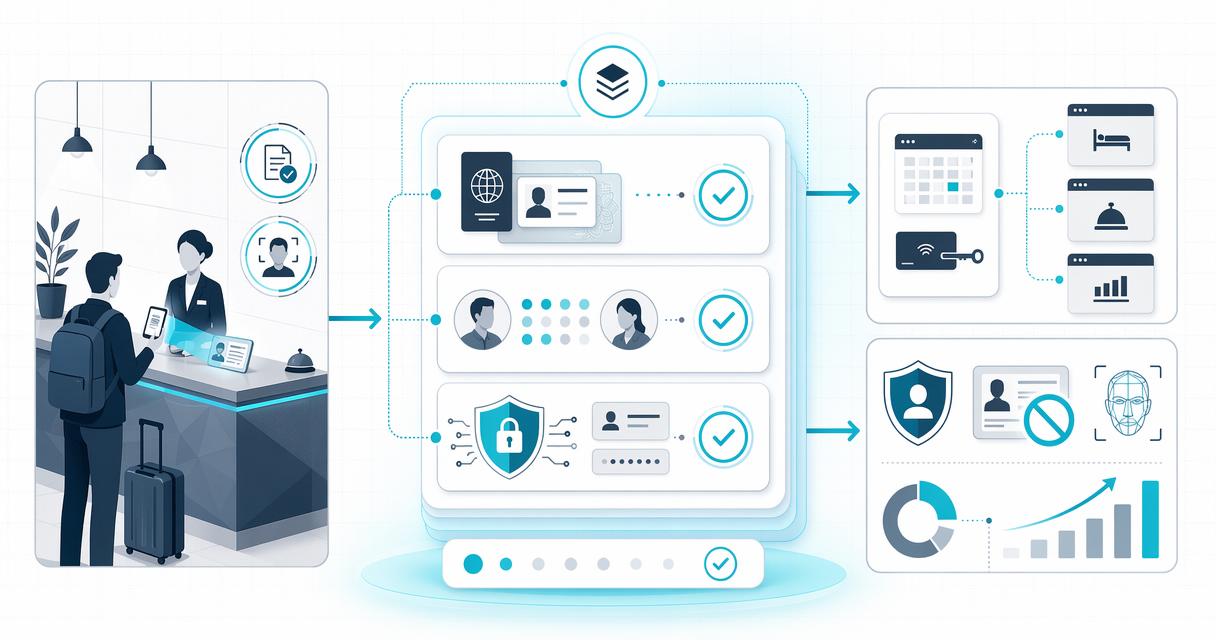
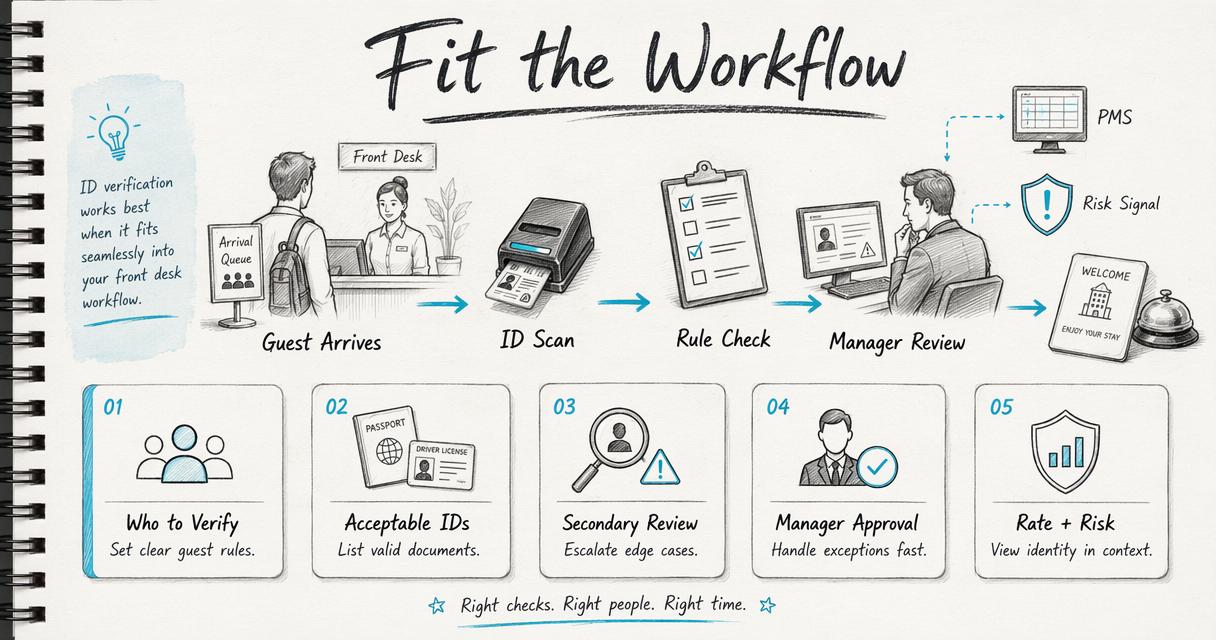 The front desk needs rules that are simple enough for peak arrival hours. A useful policy defines who must be verified, when secondary review is required, what documents are acceptable, and which exceptions need manager approval. The Innstrata platform is positioned around operational clarity for independent hotels, so identity verification should be viewed alongside rate, demand, and risk signals. That broader view is especially relevant as 2026 hotel technology trends place more pressure on lean teams to automate repetitive checks without losing guest judgment, a theme also covered in hotel industry trends for 2026.
A practical front desk rollout plan
A phased rollout lowers training friction and exposes policy gaps before the system becomes mandatory.- Map current check-in steps: Identify where ID review, payment authorization, and guest registration happen.
- Set verification rules: Define required IDs, mismatch thresholds, and manager escalation points.
- Pilot during limited shifts: Start with trained agents and track scan time, exceptions, and guest comments.
- Create short scripts: Give staff calm wording for failed scans, expired IDs, or name differences.
- Review weekly exceptions: Use real cases to refine policy.
What will change in 2026 and 2027?
ID verification will become more connected, privacy-conscious, and risk-based through 2026 and 2027. Hotels are moving away from isolated scanners toward systems that connect identity, payment, reservation, and incident context. AI-assisted review will keep improving, but human approval will still matter for exceptions, accessibility issues, damaged documents, and guests with legitimate name differences. Research on generative AI by Dwivedi, Kshetri, Hughes, and coauthors highlights both opportunities and governance challenges for AI in business and policy settings International Journal of Information Management. Hotels should expect vendors to explain how AI is used, where human review remains, and how data is protected. Common buying mistakes include:- Choosing hardware before defining policy.
- Storing full ID images indefinitely without a retention reason.
- Treating every mismatch as fraud.
- Ignoring foreign documents common to the property’s demand mix.
- Buying a tool that cannot hand off data to daily operations.