

TL;DR
Use a hotel ID scanning privacy policy to tell guests what ID data you collect, why you collect it, who can access it, how long you keep it, and how they can ask questions. Copy the template below, review it with counsel, then align your front desk workflow, retention schedule, and access controls before staff start scanning IDs.
A hotel ID scanning privacy policy template turns a sensitive check-in step into a clear guest promise: collect only what you need, protect it, and explain the process before questions become complaints. A privacy policy is a statement or legal document that discloses how an organization gathers, uses, shares, and manages customer data, as summarized by Wikipedia's privacy policy definition. For hotels, the policy should match the actual front desk workflow, including ID capture, payment dispute records, incident documentation, and PMS transfer. If your team uses GuestBan ID Scanning for guest verification, the policy should also explain how scanned information supports safer, faster, and more auditable check-ins. For broader workflow planning, pair this template with your hotel's guest data capture automation process.
Table of Contents
What is a hotel ID scanning privacy policy?
A hotel ID scanning privacy policy is a guest-facing notice that explains how a hotel collects, uses, stores, shares, and deletes information captured from a driver's license, passport, or other identity document during check-in.
Hotel ID scanning privacy policy: A written notice that tells guests why identity documents are scanned, what data fields are collected, who can access them, how long records are kept, and how guests can contact the hotel about privacy.
The policy should be public, plain-English, and specific to hotel operations. It should not read like a generic website cookie notice. Business Queensland's guidance for licensed venues says venues using ID scanning "must develop a privacy policy and make it publicly available" in its privacy and ID scanning guidance.
"Privacy to us is a human right. It's a civil liberty.", Tim Cook, Apple interview reported by NPR
For hotels, privacy and safety are not opposites. A clear policy helps guests understand why an ID scan may protect the property, support lawful registration, reduce fake-ID risk, and help resolve chargebacks.
When should hotels use this template?
Hotels should use this template when they scan, photograph, copy, or digitally read guest identity documents at check-in, during age verification, for incident records, or as evidence for payment disputes.
Use it before rolling out a new scanner, changing PMS workflows, or moving guest ID records into cloud storage. If you already scan IDs, treat the template as a gap check against your real practice.
Common hotel use cases for ID scanning
- Check-in registration: confirming the name on the reservation matches the guest's identity document.
- Age-restricted stays or purchases: verifying age where local rules or property policy require it.
- Chargeback evidence: keeping a time-stamped record that links the guest, payment method, room, and stay.
- Incident documentation: supporting internal loss prevention notes when there is property damage, disturbance, or safety concern.
- DNR screening: checking whether a guest is associated with a prior do-not-rent record.
A property fighting card disputes should also document the related payment workflow. The guide to hotel ID scanning for chargeback prevention explains how ID scans, timestamps, payment records, and notes can fit together without turning the front desk into a paper archive.
What data should the policy disclose?
The policy should disclose each category of ID data collected, the reason for collecting it, the access level, and whether the hotel stores the full image or only selected fields.
Hotels should avoid vague phrases like "we collect personal information as needed." Guests deserve to know whether the scan captures the document image, name, address, date of birth, document number, issuing country or state, expiration date, and check-in timestamp.
ID scan data map for hotel teams
| Data category | Example | Typical purpose | Access limit |
|---|---|---|---|
| Identity fields | Name, date of birth, ID number | Confirm reservation holder and age | Front desk managers, authorized staff |
| Document details | Issuing state, country, expiration date | Detect expired or invalid documents | Trained check-in staff |
| Stay linkage | Reservation number, room, check-in time | Audit guest record and disputes | Operations and management |
| Image record | Front and back of ID, passport page | Evidence where allowed by policy and law | Restricted staff only |
| Risk notes | DNR match, incident reference | Safety review and property protection | Managers or loss prevention |
| System logs | User, timestamp, access event | Accountability and audit trail | Admin or compliance lead |
Under the EU General Data Protection Regulation, personal data principles include lawfulness, fairness, transparency, purpose limitation, data minimization, accuracy, storage limitation, integrity, and confidentiality. Hotels subject to GDPR should review Article 5 of the GDPR and local accommodation-registration rules before deciding what to scan or retain.
Hotel ID scanning privacy policy template
This hotel ID scanning privacy policy template gives hotels copy-ready language for guest notices, staff manuals, and website privacy pages.
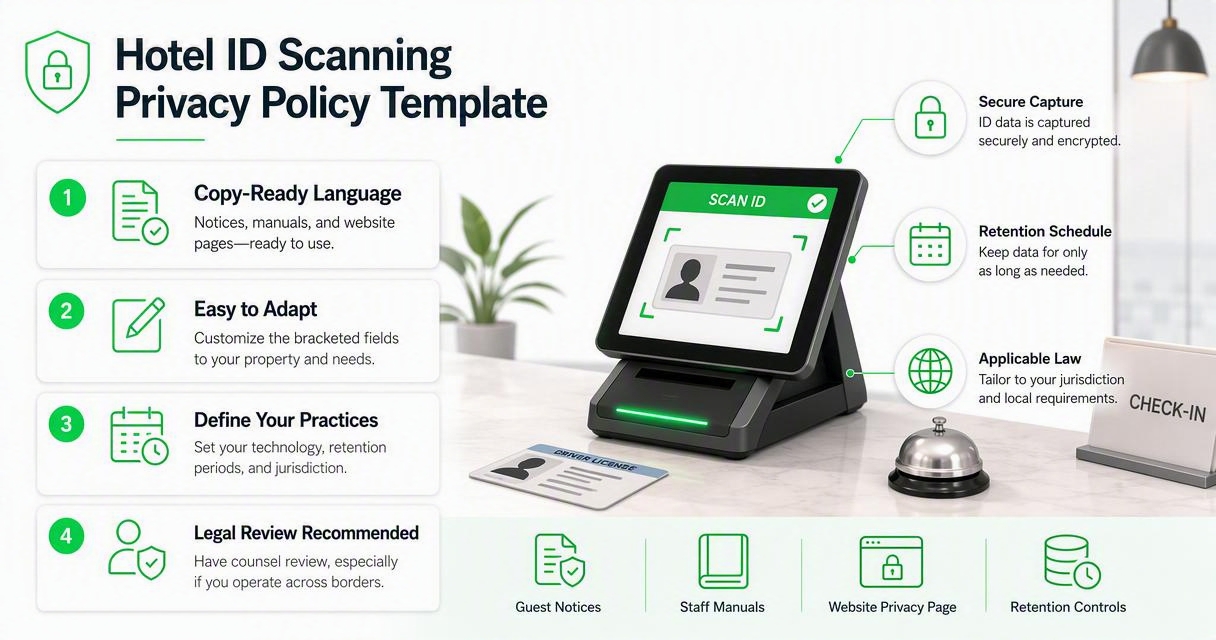
Adapt the bracketed fields to your property, jurisdiction, technology, and retention schedule. I recommend asking counsel to review the final version, especially if you operate across states, provinces, or countries.
Copy-ready policy language
[Hotel Name] ID Scanning Privacy Policy
Effective date: [Month Day, Year]
Who we are: [Hotel Name], located at [address], operates guest check-in and identity verification procedures for hotel registration, property safety, payment dispute support, and compliance with applicable laws.
Why we scan IDs: We may scan or record information from a guest's government-issued identity document to verify identity, confirm age where required, match the guest to the reservation, protect guests and staff, investigate incidents, maintain accurate registration records, and support payment or chargeback inquiries.
What we collect: Depending on the document and system used, we may collect the guest's name, address, date of birth, document number, issuing authority, expiration date, document image, reservation number, room number, check-in time, staff user ID, and related audit logs.
What we do not collect: We do not collect ID information for unrelated marketing unless we ask for separate consent where required. We do not sell scanned ID records.
Who can access records: Access is limited to authorized hotel employees, managers, loss prevention personnel, approved technology providers, and others where required by law or necessary to protect legal rights. Staff access is based on job role.
How we protect records: We use administrative, technical, and physical safeguards such as staff training, password controls, role-based access, audit logs, secure storage, and retention limits.
How long we keep records: We keep ID scan records for [insert retention period], unless a longer period is needed for a legal claim, chargeback, incident investigation, law enforcement request, or other lawful purpose. Records are deleted or de-identified when no longer needed under this policy.
Guest questions and requests: Guests may contact [privacy contact name, email, phone, mailing address] to ask questions, request access where available by law, request correction, or ask about deletion.
Policy updates: We may update this policy when laws, hotel procedures, or technology change. The latest version will be available at [website/front desk location].
Short front desk notice
- We scan IDs to verify guest identity, protect the property, keep accurate stay records, and support lawful hotel operations.
- We limit access to authorized staff and approved service providers.
- We keep records only as long as needed under our retention policy and applicable law.
- Questions may be sent to [privacy contact].
Keep the short notice at the desk, in the digital check-in flow, and near any kiosk. The longer policy should sit on your website and be available on request.
How should hotels set retention rules?
Hotels should set retention rules by matching each scanned ID record to a clear business, legal, safety, or dispute-resolution purpose, then deleting records when that purpose expires.
A single "keep forever" rule creates avoidable privacy risk. A single "delete immediately" rule may leave the hotel without evidence for disputes or investigations. The better approach is a written schedule with exceptions.
Retention checklist for managers
- List each purpose: registration, chargebacks, DNR review, incident investigation, local compliance.
- Map the required records: full ID image, selected fields, timestamp, audit log, or PMS note.
- Choose a retention period: base it on local law, payment dispute windows, insurance needs, and counsel's advice.
- Create exception rules: legal hold, active claim, police request, or unresolved guest incident.
- Assign deletion responsibility: name the role that reviews, exports, deletes, or de-identifies records.
- Document proof of deletion: keep system logs showing the record was removed under policy.
For a deeper retention schedule, use the 2026 guide on how long hotels should keep scanned IDs. That guide can sit beside this policy template in your manager handbook.
"The right to be let alone.", Samuel D. Warren and Louis D. Brandeis, The Right to Privacy, Harvard Law Review
How should guests be told at check-in?
Hotels should tell guests about ID scanning before or at the moment of collection, using a short notice that matches the full privacy policy.
The notice should be visible, not hidden in a binder. A guest should be able to understand the reason for the scan, whether a copy is stored, and who to contact without asking three employees.
Guest-facing wording options
- Desk sign: "We scan government-issued ID to verify identity, match the reservation, support hotel safety, and maintain accurate check-in records. Our ID scanning privacy policy is available at the front desk and on our website."
- Digital check-in: "By continuing, you acknowledge that [Hotel Name] may scan your ID for identity verification, registration, safety, and payment dispute purposes under our privacy policy."
- Staff script: "We scan IDs for guest verification and property protection. The policy explains what is collected, who can access it, and how long we keep it."
Staff should not improvise privacy explanations. A consistent script reduces confusion and keeps the guest experience professional. Training also matters because identity verification can overlap with safety-sensitive issues, including the hotel industry's work to stand against human trafficking.
How GuestBan ID Scanning handles this
GuestBan ID Scanning supports hotel privacy policies by helping properties capture guest ID information in a controlled, auditable workflow instead of relying on loose photocopies, handwritten notes, or scattered files.
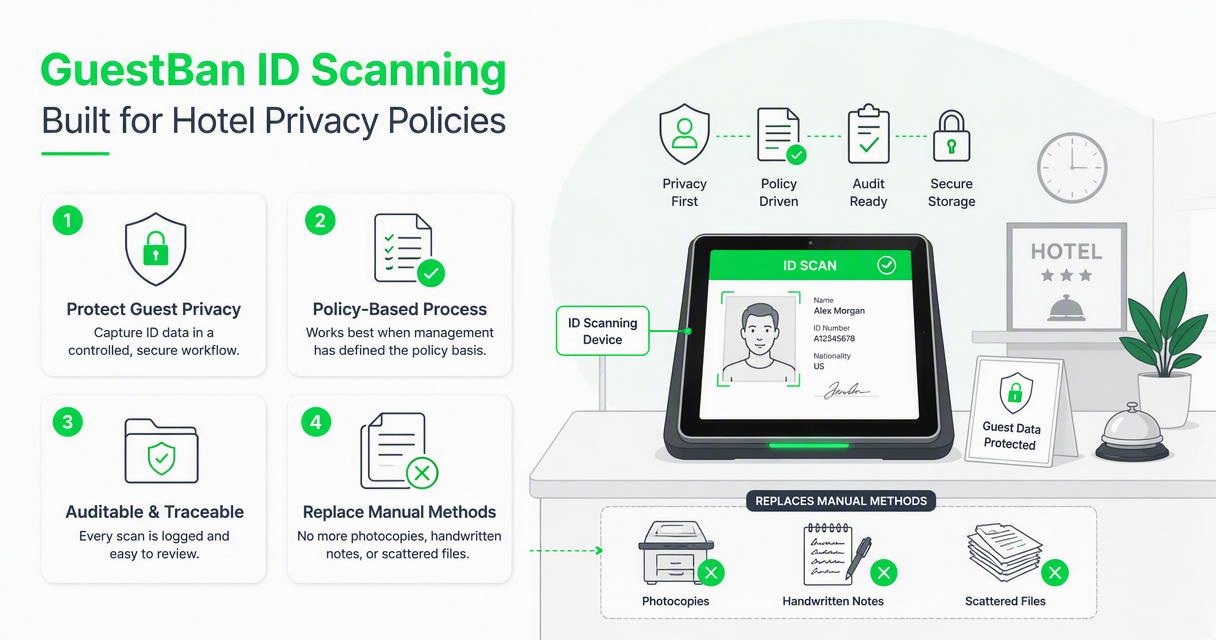
The GuestBan ID Scanning platform is most useful when management has already defined the policy basics: what to capture, who may access it, and how long records should remain available. Technology should enforce the policy, not replace it.
Practical policy alignment points
| Policy requirement | What hotel managers should configure | Why it matters |
|---|---|---|
| Purpose statement | Tie scans to verification, safety, records, and disputes | Guests see a clear reason |
| Access controls | Limit records by role and responsibility | Reduces unnecessary exposure |
| Auditability | Track who scanned or viewed records | Supports accountability |
| Record quality | Capture readable ID and stay details | Helps front desk and management |
| Retention review | Match system practice to written policy | Prevents over-retention |
I like policies that match the screen a front desk agent actually uses. If the workflow captures an ID image, guest name, timestamp, and reservation link, the policy should say so. If your team is upgrading the whole check-in stack, the 2026 guide to hotel front desk automation tools is a useful companion.
For product details, visit guestban.com and compare the workflow against the template fields above.
What mistakes should hotels avoid?
Hotels should avoid copying more ID data than needed, hiding the policy, giving broad staff access, keeping records without a schedule, and using scanned IDs for unrelated marketing.
The biggest privacy problem I see is mismatch. A hotel says one thing in the policy, trains staff another way, and stores records in a third place. Guests notice inconsistency quickly.
Policy mistakes that create risk
- Generic wording: "We collect data for business purposes" does not explain identity scanning.
- Silent collection: scanning an ID without a visible notice invites complaints.
- Unclear access: every front desk user should not automatically see every historical scan.
- No retention date: records should not sit indefinitely because no one owns deletion.
- Marketing creep: using ID data for promotions can violate expectations and may require separate consent.
- Local law gaps: passport, lodging, liquor, gaming, and privacy rules can differ by location.
Security research also shows why authentication systems deserve careful design. A 2021 survey by Xuerui Wang, Zheng Yan, and Rui Zhang reviewed attacks and defenses in user authentication systems in the Journal of Network and Computer Applications. The hotel lesson is simple: identity workflows need access controls, logs, and review, not just faster scanning.
What changes should hotels expect in 2027?
Hotels should expect more digital identity checks, stricter guest-data expectations, and closer alignment between privacy notices, PMS records, and mobile check-in flows by 2027.
Europe is already moving toward digital identity wallets under eIDAS 2.0 and the European Digital Identity framework, described by the European Commission's digital identity information. Hotels serving international travelers should prepare for guests who present digital credentials rather than only plastic cards or passport booklets.
Readiness steps for the next 12 months
- Update the policy annually: include scanner, PMS, kiosk, and mobile check-in changes.
- Separate fields from images: decide when you need a full document image versus extracted data.
- Review vendor access: confirm which providers can process, store, or support ID records.
- Train for digital IDs: teach staff how to handle wallet credentials and fallback documents.
- Test guest explanations: ask whether a traveler can understand your notice in under 30 seconds.
Digitalization can improve efficiency, but it also changes recordkeeping obligations. The OECD's 2022 paper on digitalisation and resource efficiency discusses digital transition at a policy level. For hotels, the practical takeaway is narrower: every new digital process needs a matching governance rule.
FAQ
Do hotels need guest consent to scan an ID?
Consent requirements depend on location, purpose, and applicable law. Some hotels rely on legal obligation, contract, legitimate business need, safety, or payment-dispute documentation rather than consent alone. Your policy should state the reason for scanning and should not imply optional consent if the scan is required for check-in under property policy.
Should a hotel store the full ID image or only extracted fields?
Store the least information that meets the hotel's legal, safety, operational, and dispute needs. Some properties may need a document image for chargebacks or incidents, while others may only need selected fields. The policy should say which approach applies, and managers should review whether full-image storage is still justified.
Can scanned ID information be used for marketing?
Hotels should not use scanned ID information for marketing unless they have a separate lawful basis and, where required, clear consent. Guests provide IDs for verification, registration, and safety, not promotional targeting. Keep marketing databases separate from identity verification records unless counsel approves a specific process.
Who should answer guest privacy questions?
Name a specific role, email address, and phone number in the policy. For many hotels, that may be the general manager, privacy contact, ownership office, or corporate compliance team. Front desk staff should know the short explanation, but detailed access, correction, or deletion requests should go to the assigned privacy contact.
Conclusion
A hotel ID scanning privacy policy template works only when it matches your real check-in workflow. Start by copying the template, filling in your property details, confirming retention periods with counsel, and training staff on the short desk notice. Then test the policy against one live check-in: what was scanned, where did it go, who can see it, and when will it be deleted? If you want an ID capture workflow that supports safer guest verification, review GuestBan ID Scanning and the related hotel security guidance on guestban.com. Your next step is simple: assign one manager to own the policy, one manager to own the system settings, and one date to review both every year.

