No products in the cart.
TL;DR
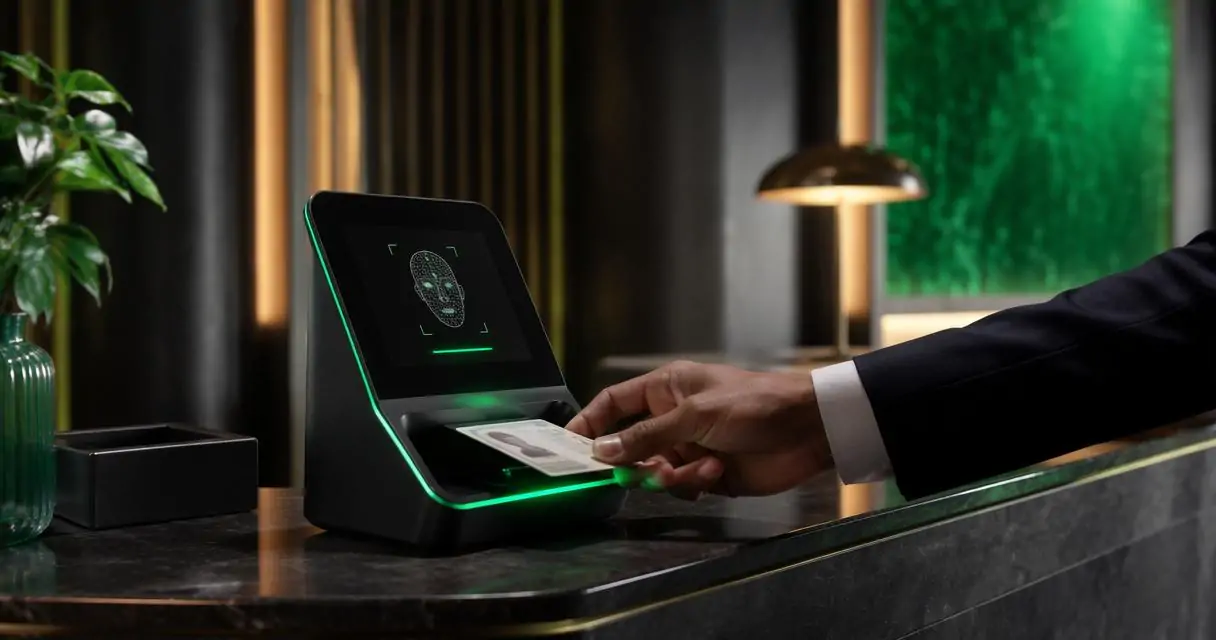
TL;DR: A good AI-assisted hotel ID scanner should capture document data, retain the right image evidence, flag fraud risk, transfer clean records to the PMS, and create audit trails. Hotels should choose a hotel-focused workflow, not a generic scanner, because front desk speed, chargeback evidence, Do-Not-Rent alerts, and privacy controls all matter at check-in.
A busy front desk doesn’t need another gadget; it needs a safer way to confirm who is standing at the counter. An artificial intelligence scanner for hotel ID verification should reduce typing, support policy decisions, and create a record the property can defend later. For hotels comparing manual entry, hardware scanners, and mobile capture, GuestBan ID Scanning is built around the realities of check-in: guest records, alerts, image retention, and property-level risk controls. If your team is still making copies, start with this guide to automating ID capture instead of photocopying IDs.
Table of Contents
What is an artificial intelligence scanner for hotel ID verification?
An artificial intelligence scanner for hotel ID verification is software or a scanner-assisted workflow that reads a guest identity document, extracts key fields, checks for risk signals, stores evidence, and sends usable data into hotel operations systems.
AI hotel ID scanner: a front desk tool that combines optical scanning, OCR, document data extraction, image capture, alerting, and audit logging for guest identity workflows.
An image scanner, in the traditional sense, optically scans images, printed text, handwriting, or objects and converts them into a digital image, as described by Wikipedia’s image scanner definition. In hotels, the modern version often adds OCR, document parsing, cloud records, and operational rules.
What should hotels verify at check-in?
Hotels should verify identity data, reservation match, document image quality, risk alerts, payment support records, and staff actions before completing check-in.
A front desk workflow should answer six practical questions:
- Does the name on the ID match the reservation?
- Is the document readable and complete?
- Are date of birth, address, ID number, and expiration captured accurately?
- Has the guest triggered a property or group-level alert?
- Is the record available for dispute, incident, or chargeback review?
- Did staff follow the property’s documented process?
For a step-by-step operational process, see this 2026 workflow on how to verify guest ID at hotel check-in. I’d use that as a training baseline, then adapt it to brand standards and local laws.
A strong verification process separates identity proof from risk judgment. The scanner captures and organizes evidence; managers decide whether policy allows check-in, extra deposit, security review, or refusal of service.
Buyer checklist for check-in verification
| Verification area | What the scanner should do | Why it matters |
|---|---|---|
| Document capture | Scan driver licenses, passports, and common government IDs | Reduces manual typing and missed fields |
| Image retention | Store front, back, or passport image based on policy | Supports later review and evidence needs |
| Data extraction | Pull name, DOB, address, ID number, and expiration | Keeps PMS and guest records cleaner |
| Fraud flags | Surface unreadable, expired, altered, or mismatched data | Helps staff pause risky check-ins |
| Alerts | Compare records against property rules or DNR lists | Supports consistent decisions |
| PMS transfer | Move verified fields into the PMS or workflow queue | Saves front desk time |
| Audit trail | Record who scanned, when, and what action followed | Helps managers review disputes |
How does AI improve hotel ID capture without replacing staff judgment?
AI improves hotel ID capture by reading documents faster, standardizing data entry, and surfacing exceptions that staff should review before approving check-in.
Most hotel teams don’t need science-fiction AI. They need a scanner that can read messy real-world IDs under lobby lighting, reduce keystrokes, and keep staff from missing obvious exceptions. The useful AI work happens in small moments: field recognition, image classification, duplicate detection, and rule-based alerting.
Authentication is not a solved problem. A 2021 survey on attacks and defenses in user authentication systems reviews how authentication systems face many attack types and defense methods. Hotels should treat ID scanning as one control in a larger risk process, not a magic yes-or-no machine.
“Trust, but verify.”, Ronald Reagan, Ronald Reagan Presidential Library
That quote fits hotel operations. A returning guest, OTA booking, or prepaid reservation may look normal, but the ID record gives your team a verifiable checkpoint before issuing keys.
Which features belong in a 2026 hotel buyer checklist?
A 2026 hotel buyer checklist should focus on document coverage, data accuracy, retention controls, alerting, PMS fit, reporting, staff permissions, and support for multi-property operations.
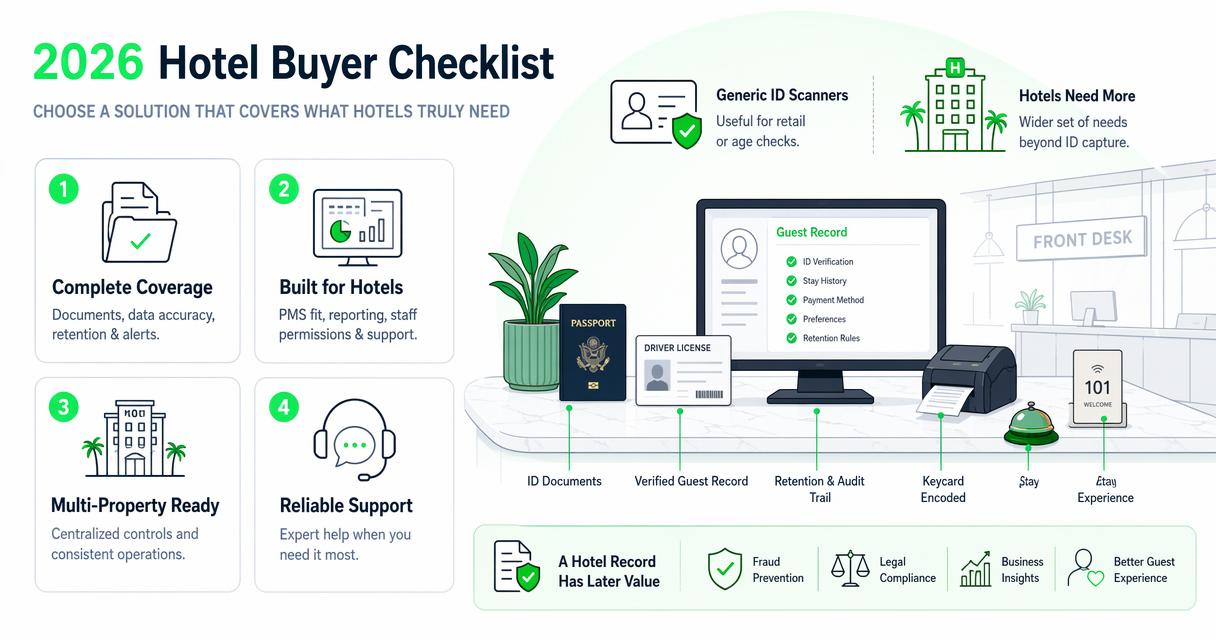
Generic ID scanners can be useful for retail or age checks, but hotels have a wider set of needs. A hotel record may later support a chargeback response, incident report, DNR review, law enforcement request, or manager audit. That changes the feature list.
I’d score vendors on operating fit before scanner hardware. A beautiful device that doesn’t match your PMS, incident process, or retention policy will still create work at the desk.
- Document support: state IDs, driver licenses, passports, military IDs where allowed, and international guest documents.
- Image quality controls: prompts for glare, cut-off edges, blur, expired documents, or missing backs of IDs.
- Configurable retention: property rules for what to store, how long to store it, and who can view it.
- Alert logic: DNR match, repeat incident, expired ID, duplicate guest record, or manager review required.
- PMS workflow: field transfer, copy-and-paste reduction, or integration where available.
- Audit logs: timestamps, staff user, device, edits, notes, and manager actions.
- Reporting: search by guest, stay date, incident, ID field, or property.
Hotels also need a path for exceptions. If a passport won’t scan or a document is damaged, staff should know whether to rescan, manually enter, escalate, or decline check-in.
Hotel-focused scanner comparison table
| Capability | Basic image scan | Generic ID scanner | Hotel-focused AI ID scanner |
|---|---|---|---|
| Captures ID image | Yes | Yes | Yes, with retention rules |
| Extracts fields with OCR | No or limited | Yes | Yes, mapped to hotel records |
| Flags document issues | No | No | Yes, with staff review workflow |
| Supports DNR alerts | No | No | Yes, if built for hotel risk |
| Helps chargeback evidence | Limited | No | Stronger record package |
| PMS-ready data | No | Sometimes | Designed around PMS workflows |
| Multi-property control | No | No | Important for hotel groups |
How GuestBan ID Scanning handles hotel verification workflows
The GuestBan ID Scanning platform handles hotel verification by combining ID capture, searchable guest records, alerts, and documentation workflows that fit front desk and risk management needs.
A hotel-focused system should connect the ID scan to what happens next. With GuestBan ID Scanning, the value is not only faster capture; it’s the ability to build a usable operational record for guest safety, dispute review, and property decision-making.
For example, a manager reviewing a disputed stay needs more than a name typed into the PMS. They need the scanned ID record, staff notes, reservation context, incident details if any, and timestamps. The same idea applies across a group of properties when risk teams need consistent documentation.
GuestBan ID Scanning is especially relevant for hotels that want ID scanning tied to guest controls, not isolated from them. You can also review the Choice Hotel case study on safety and revenue with Guest Ban ID scanning for a practical property-level example.
Operational rule: If your scanner cannot help the next staff member understand the prior decision, it’s only capture software, not a verification workflow.
What should PMS transfer and audit trails include?
PMS transfer and audit trails should include clean guest fields, scan time, staff user, source document details, edits, alerts, notes, and manager decisions.
The PMS is usually the system of record for the stay, but it may not be the best place to store every ID image, alert note, or incident detail. The cleaner approach is to move the fields the PMS needs while keeping sensitive verification evidence in a controlled system.
Audit trails matter because hotel disputes often happen days or weeks later. A front desk agent may no longer remember the conversation, but the record can show who scanned the ID, when the guest checked in, whether an alert appeared, and what action the property took.
For payment disputes, connect ID records to the broader evidence packet. This guide on hotel chargeback documentation with ID scanning explains how scanned IDs, signed records, and incident notes can support a stronger response.
Minimum audit fields should include:
- Staff username or role.
- Scan date, time, and property.
- Document type and extracted fields.
- Image capture status.
- Alerts shown to staff.
- Manual edits or overrides.
- Manager approval or denial notes.
- Retention and deletion status where applicable.
How should hotels handle privacy and data retention?
Hotels should handle privacy and retention by collecting only what policy requires, limiting staff access, securing stored images, and deleting records according to law and brand rules.
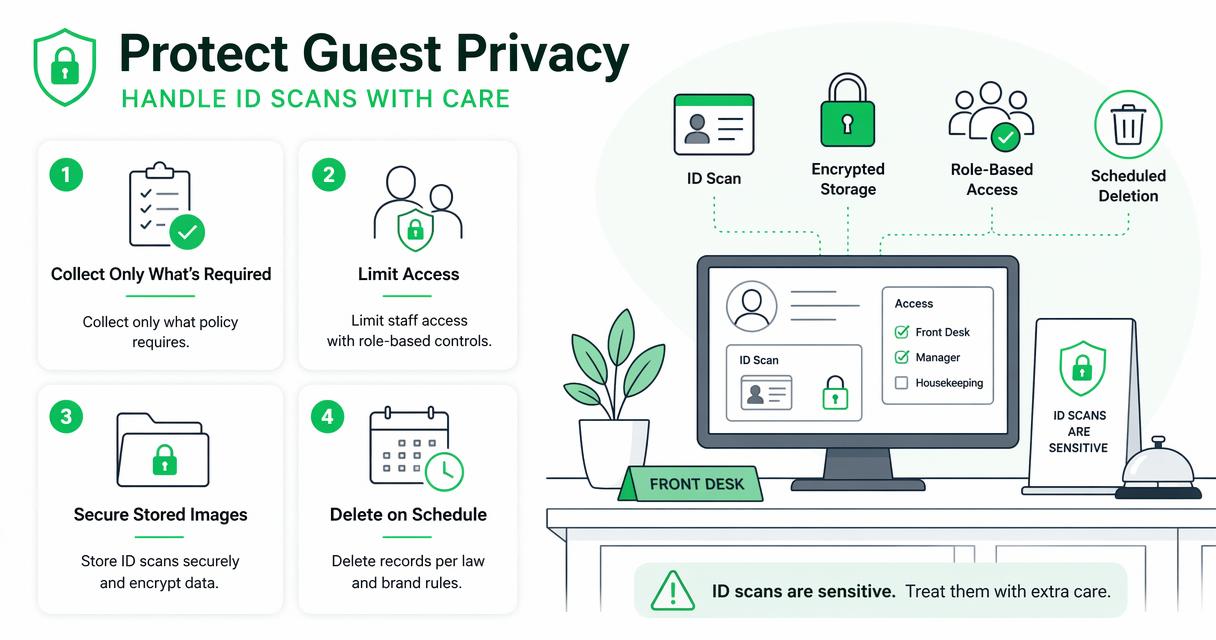
ID scans are sensitive. A hotel should not treat them like ordinary notes in a reservation. Access should be role-based, staff should be trained, and retention should be documented before rollout.
Tourism data can be useful for better policy and management, but large datasets require governance. The Asian Development Bank’s 2021 report on big data for tourism policy and management discusses the growing role of data in tourism recovery and decision-making. At property level, the same principle applies: more data creates more responsibility.
“Privacy is not an option, and it shouldn’t be the price we accept for just getting on the Internet.”, Gary Kovacs, TED Talk
Practical privacy controls include:
- Collect fields needed for check-in, compliance, security, and payment review.
- Mask or restrict sensitive fields where full visibility is not needed.
- Limit image access to managers, auditors, or approved roles.
- Use unique staff logins, not shared front desk accounts.
- Document deletion schedules by property, brand, and jurisdiction.
- Train staff on when not to export, print, photograph, or message ID images.
I’d also include privacy checks in quarterly operations reviews. Hotels change managers, PMS settings, and staff habits faster than most policies get updated.
What mistakes should hotels avoid when choosing an AI ID scanner?
Hotels should avoid choosing an AI ID scanner based only on scan speed, hardware appearance, or generic identity claims without checking hotel workflow fit.
Fast scanning is useful, but speed alone can hide weak records. A two-minute check-in is not a win if staff later cannot prove who checked in, why an exception was approved, or whether a risk alert appeared.
Common mistakes include:
- Buying a scanner that captures images but doesn’t create searchable guest records.
- Storing ID photos in unsecured folders or shared inboxes.
- Letting staff use one shared login for every scan.
- Failing to define retention rules before the first scan.
- Ignoring passport and out-of-state document support.
- Treating AI flags as final decisions rather than prompts for review.
- Skipping manager reports for overrides and denied stays.
A good pilot should test real lobby conditions. Use glare, worn IDs, foreign passports, group arrivals, OTA reservations, walk-ins, and late-night check-ins. I’ve seen tools look strong in demos but slow down when staff face imperfect documents and impatient guests.
What should hotel groups expect from AI ID verification in 2027?
Hotel groups should expect AI ID verification to become more connected to risk scoring, multi-property alerts, mobile check-in, and evidence management by 2027.
The next phase will be less about “scan the ID” and more about connecting the scan to the whole guest risk file. Multi-property operators will want local control with network visibility, especially when repeat problem guests move between sister properties.
Expect more demand for:
- Network-aware alerts: property-level decisions with group-level visibility.
- Mobile pre-arrival capture: guests submit documents before reaching the desk.
- Better passport handling: international travel recovery keeps pressure on document coverage.
- Evidence bundles: chargeback, incident, and law enforcement packets built from verified records.
- Role-based privacy: more precise access to ID images and sensitive fields.
For groups building shared guest controls, pair ID verification with a clear DNR governance model. This 2026 guide to network-wide Do Not Rent lists for hotel groups explains local controls, permissions, documentation, and privacy safeguards.
AI will not remove the need for trained staff. It will raise the standard for what a well-documented check-in looks like.
FAQ
Is an AI hotel ID scanner the same as facial recognition?
No. An AI hotel ID scanner usually reads and organizes document data, while facial recognition compares a face to an image or database. Some identity systems include selfie matching, but many hotel workflows focus on document capture, data extraction, alerts, and records without biometric matching.
Can hotels store scanned ID images?
Hotels may be able to store ID images, but rules vary by jurisdiction, brand policy, and business purpose. Properties should define retention periods, limit staff access, secure stored records, and avoid collecting more than needed. Ask legal counsel before changing a retention policy.
Does AI ID scanning prevent all guest fraud?
No scanner prevents all fraud. AI-assisted scanning can reduce manual errors, flag document issues, and create better records, but staff still need procedures for exceptions, payment review, deposits, DNR alerts, and manager approvals.
Should small hotels use AI ID verification?
Small hotels can benefit if the scanner reduces typing, improves records, and supports disputes without adding desk complexity. I’d prioritize simple setup, clear training, searchable records, and privacy controls over advanced features that staff won’t use.
How fast should hotel ID scanning be?
Speed matters, but accuracy and record quality matter more. A useful target is a scan process that supports quick check-in while capturing readable images, correct fields, staff actions, and any alerts needed for later review.
Conclusion
The right artificial intelligence scanner for hotel ID verification should help your team check guests in faster while creating records that managers can trust later. Use the checklist above to evaluate document capture, image retention, fraud flags, PMS transfer, alerts, audit trails, and privacy controls before you buy.
If you want a hotel-focused workflow rather than a generic scanning tool, put GuestBan ID Scanning on your shortlist and compare it against your current front desk process. Head to guestban.com, review your check-in pain points, and run a pilot with real documents, real staff, and real exception cases before rollout.